
eSIMify

Best eSIM for Tunisia

Cheapest Tunisia eSIM plans — instant QR delivery, high-speed data, no roaming fees.

15 standard plans

How long are you away?

Destination guide

Why use an eSIM in Tunisia?

A week in Tunisia usually means two very different environments in one trip: a hotel strip near Hammamet or Sousse, then a run inland to Kairouan, Tozeur or the desert edge at Douz. The first has Wi-Fi in the lobby and nowhere else; the second has long empty roads where a working data connection is how you find the turning. Home-carrier roaming across North Africa is charged at the expensive end of most tariff sheets, which is how a few days of casually checking messages becomes a bill worth arguing about. A travel eSIM fixes the cost before you leave and starts working when you land at Tunis-Carthage (TUN), Enfidha-Hammamet (NBE) or Djerba-Zarzis (DJE), without the queue at an arrivals counter.

Best Tunisia eSIM for tourists: what to look for

Match the plan to how you are travelling. A resort holiday leans on the connection in bursts, mostly messaging, photographs and the occasional call home, while a driving trip through the Sahel and the south uses maps almost continuously and needs more headroom. If you are hiring a car, that navigation time is the single biggest consumer of data on a Tunisian itinerary. Confirm hotspot on the plan card if you want to put a tablet or laptop online in the evening, because resort Wi-Fi rarely reaches the rooms well. You will not need a Tunisian number: your home SIM stays in the phone for one-time passwords while the eSIM carries the data. If you are also visiting Morocco or crossing to Europe, compare the country plan with a wider Africa plan. Top up by buying a second plan mid-trip, and check your model on the device list first.

Networks and coverage: where your eSIM works

Tunisia is served by Ooredoo Tunisia, Tunisie Telecom and Orange Tunisia, and your eSIM connects automatically to a partner among them. 4G is solid along the whole populated coastal belt from Bizerte through Tunis, Hammamet, Sousse, Monastir and Sfax, and on Djerba. It follows the main roads inland to Kairouan and Tozeur reasonably well. Where it genuinely fades is off the tarmac: the salt flats around Chott el Jerid, the dune tracks beyond Douz and the mountain roads near Matmata. If a desert excursion is part of the plan, save your maps offline before you go.

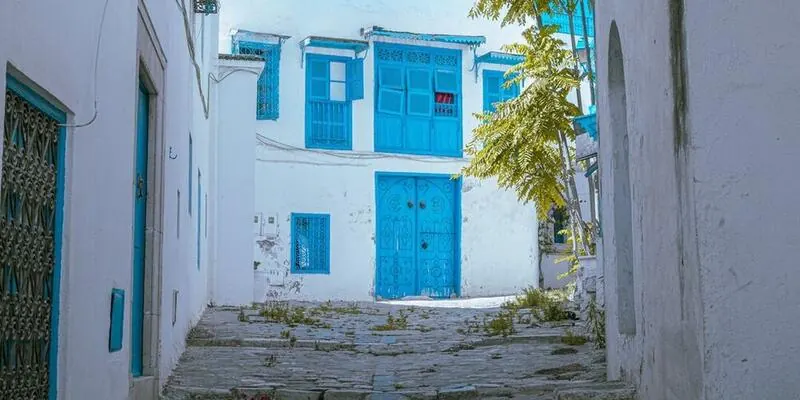
  • Tunis and Sidi Bou Said — dependable everywhere, including around Carthage.
  • Hammamet and Sousse — strong along the hotel strips and in the medinas.
  • Djerba — good island-wide, weaker on the causeway and the southern beaches.
  • Tozeur and Douz — fine in town, unreliable once you leave it for the desert.

Tunisia eSIM vs local SIM vs roaming

Travel eSIM (eSIMify)Local SIMHome-carrier roaming
SetupInstalled at home; connects on landing at Tunis, Enfidha or DjerbaCounter or shop, with your passport, after you clear customsNothing to set up
Cost patternFixed price agreed before the tripInexpensive locally, but airport counters charge a premium over city shopsAmong the pricier roaming destinations for most carriers
Keep your home numberYesOnly if your phone takes two SIMsYes
Local numberNo, data onlyYesNo
Networks and speedPartner network with automatic switching; 4G on the coastSame three networksSame networks, often with a speed cap
Passport registrationNonePassport needed at purchaseNone
Best forPackage holidays and self-drive tripsStays of a month or moreShort transits only

For a one or two week holiday the eSIM is easier and there is nothing to hand back at the end. A local SIM makes sense if you are staying a season, or if you want a Tunisian number for calling guides and riads directly rather than messaging them.

How to activate your Tunisia eSIM

  1. Buy a plan from the grid above; the QR code arrives by email within minutes.
  2. On an iPhone with iOS 17.4 or later, use the direct install link. Otherwise Settings, Mobile Data, Add eSIM; on Android, Settings, Connections or Network, SIM manager, Add eSIM and scan.
  3. Install while still on Wi-Fi at home and label the line Tunisia.
  4. Enable Data Roaming for the eSIM line only, and turn data off on your home SIM.
  5. Once you land, choose the eSIM as the data line; it will register on a Tunisian network inside the terminal.
  6. The validity period starts from that first connection.

When should I install my Tunisia eSIM?

Install several days before you fly, on home Wi-Fi, so the profile is on the phone and labelled. Because the clock starts at the first connection in Tunisia, an early install costs you nothing. Leave the line off during a stopover in Istanbul, Paris or Rome. Switch it on after landing at Tunis-Carthage, Enfidha or Djerba, once the aircraft door opens and the phone is out of flight mode.

Last verified 5 Sep 2026 · by eSIMify Editorial Team

Travel connected

Why choose eSIMify for Tunisia?

Instant activation

Connect the moment you land — no airport SIM kiosk.

Premium coverage

Auto-connect to the strongest local 5G/4G networks.

No roaming fees

Pay local prices — no surprise bills back home.

How it works

  1. 1

    Check compatibility

    Make sure your phone is eSIM-compatible and carrier-unlocked.

  2. 2

    Buy & receive

    Choose your plan and get a QR code by email instantly after payment.

  3. 3

    Scan & connect

    Scan the QR code in your phone settings and activate your data in seconds.

Activate your eSIM

Frequently asked questions

No. Registration applies to Tunisian SIM cards sold locally, where a passport is asked for at the counter. A travel eSIM is bought online, installed by you and needs no identity check at any point before, during or after the trip.

Selected 1 GB · 3 days