
eSIMify

Best eSIM for Eswatini

Cheapest Eswatini eSIM plans — instant QR delivery, high-speed data, no roaming fees.

13 standard plans

How long are you away?

Destination guide

Why use an eSIM in Eswatini?

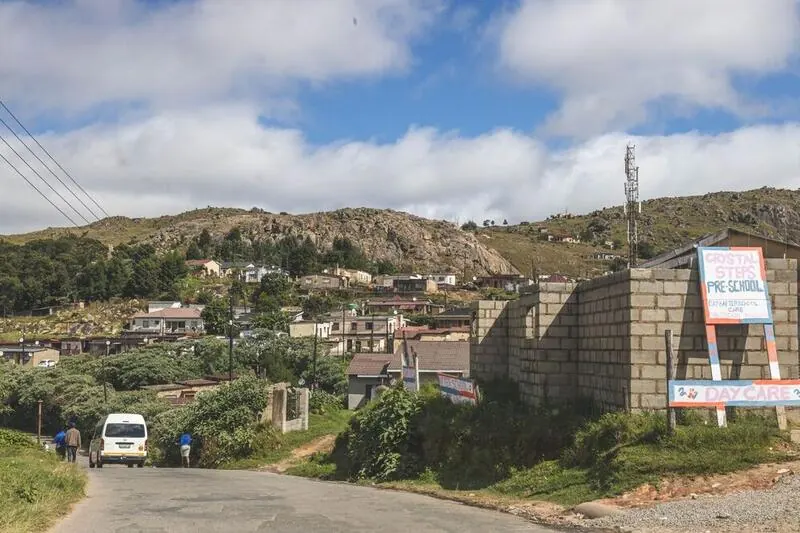
Eswatini is a small, mountainous kingdom between South Africa and Mozambique, and most travellers reach it by road as part of a wider southern African trip rather than flying in to King Mswati III International Airport. The route usually takes in the Ezulwini and Malkerns valleys, the craft markets, Mlilwane and Hlane game reserves and, if the timing is right, one of the national ceremonies. That means border posts, self-drive navigation and lodge bookings — all of which are much easier if your phone is already connected when you cross. A data eSIM installed at home avoids buying a SIM at a border shop or in Mbabane on your first afternoon.

Networks and coverage: where your eSIM works

MTN Eswatini and Eswatini Mobile serve the country, and coverage is reliable across Mbabane, Manzini, the Ezulwini valley, Matsapha and the main highways, which is most of where visitors actually spend time. It thins along the mountain roads in the north-west, in the lowveld towards the Mozambique border and inside the game reserves. Given how compact the country is, you are rarely far from signal, but download park maps before a self-drive game day.

Eswatini eSIM vs local SIM vs roaming

If Eswatini is one leg of a longer southern Africa trip, an eSIM avoids buying a new SIM at every border, and you can add the neighbouring country's plan to the same account. A local prepaid line only makes sense for an extended stay. Roaming from a South African or overseas carrier is charged per day and adds up on a route that crosses borders repeatedly.

Last verified 5 Sep 2026 · by eSIMify Editorial Team

Travel connected

Why choose eSIMify for Eswatini?

Instant activation

Connect the moment you land — no airport SIM kiosk.

Premium coverage

Auto-connect to the strongest local 5G/4G networks.

No roaming fees

Pay local prices — no surprise bills back home.

How it works

  1. 1

    Check compatibility

    Make sure your phone is eSIM-compatible and carrier-unlocked.

  2. 2

    Buy & receive

    Choose your plan and get a QR code by email instantly after payment.

  3. 3

    Scan & connect

    Scan the QR code in your phone settings and activate your data in seconds.

Activate your eSIM

Frequently asked questions

Yes. Install it before the trip, and once you are across the border select it as your data line; it connects to the partner network on the Eswatini side. If you are covering both countries, check whether a regional plan includes each of them.

Selected 1GB · 3 days