
eSIMify

Best eSIM for Uzbekistan

Cheapest Uzbekistan eSIM plans — instant QR delivery, high-speed data, no roaming fees.

15 standard plans

How long are you away?

Destination guide

Why use an eSIM in Uzbekistan?

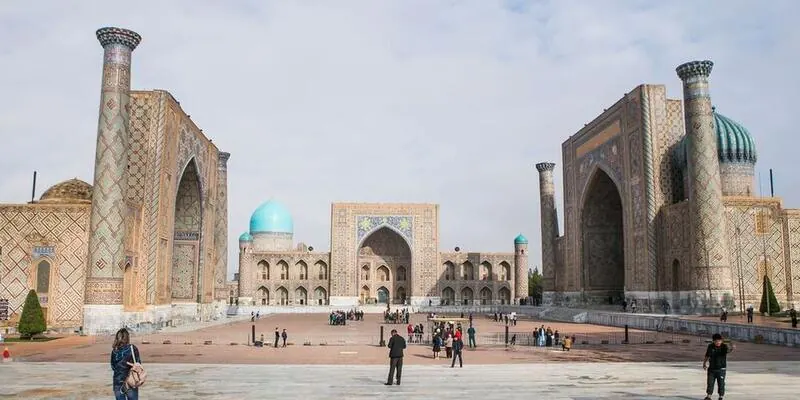
The Silk Road route — Tashkent, Samarkand, Bukhara, Khiva — is a train-and-taxi trip, and both of those now live on the phone. You are booking Afrosiyob seats that sell out days ahead, calling a Yandex Go car outside a madrasa at dusk, translating Uzbek and Russian menus, and reading up on which of the Registan's three buildings you are actually standing in front of. Uzbek SIM cards are sold on passport registration, and the counters at Islam Karimov Tashkent International Airport (TAS) are not always open when a late flight lands. Installing a travel eSIM at home means you step out of arrivals already connected, with your home number still receiving OTPs.

Best Uzbekistan eSIM for tourists: what to look for

A typical Uzbekistan itinerary runs seven to twelve days across three or four cities with long train legs in between, which makes for steady moderate data use rather than heavy streaming — maps, translation, ticket apps and a great many photographs. Pick a mid-sized plan from the options above and add a top-up if the trip stretches. 4G is what carries the journey; 5G has reached parts of Tashkent, but do not choose a plan around it. Hotspot is useful on the Afrosiyob and for guesthouse evenings, so check the plan card. You will not need an Uzbek number for Yandex Go, which works with the foreign number on your account. If you are combining Uzbekistan with Kazakhstan or Kyrgyzstan, look at the Asia regional plan instead of separate country plans, and confirm your handset on the device checker.

Networks and coverage: where your eSIM works

Uzbekistan's mobile networks are Uzmobile, Beeline, Ucell and Mobiuz, and your eSIM connects to a partner and takes the best signal available. Coverage is solid across the cities and along the populated corridor that links them, including most of the Tashkent–Samarkand–Bukhara rail line, though it dips in the open desert stretches west of Bukhara towards Khiva. The Kyzylkum crossing and the mountain roads towards the Fergana valley are where you should expect long quiet gaps.

  • Tashkent — the strongest coverage in the country, metro included.
  • Samarkand — reliable around the Registan and Gur-e-Amir.
  • Bukhara — good across the old town and the Lyab-i Hauz area.
  • Khiva — fine inside Itchan Kala, thinner on the desert road in.

Uzbekistan eSIM vs local SIM vs roaming

Travel eSIM (eSIMify)Local SIMHome-carrier roaming
Installed before departure; live when you clear TASPassport registration at a counter, which may be shut on a night arrivalWorks immediately if your carrier has a partner here
Paid once for the days you travelVery cheap locally, but sold in monthly bundlesAmong the highest roaming rates travellers meet
Home number stays live for OTPsHome SIM out unless the phone is dual-SIMHome number stays live
Data only, no Uzbek numberUzbek number includedNo local number
Hops to the strongest partner signal city to cityOne operator, and strength varies between citiesWhichever partner your carrier uses
No passport or registrationPassport registration is mandatoryNot applicable
Silk Road tours and short business tripsMonth-long stays and residentsAn overnight in Tashkent

The eSIM's main advantage on this route is arriving connected — many flights into Tashkent land in the small hours, when the SIM counters are closed and the Yandex Go app is exactly what you need. A local SIM is worth the paperwork only for a long stay. Roaming here is expensive enough to avoid.

How to activate your Uzbekistan eSIM

  1. Buy a plan above; the QR code and, on recent iPhones, a direct install link arrive by email within minutes.
  2. iPhone on iOS 17.4 or later: tap the install link. Otherwise Settings › Mobile Data › Add eSIM and scan the code.
  3. Android: Settings › Connections or Network › SIM manager › Add eSIM › scan the QR, or type the SM-DP+ address.
  4. Label the line Uzbekistan so you can find it quickly.
  5. Enable Data Roaming for the eSIM line and turn mobile data off on the home SIM.
  6. Select the eSIM for data after landing — it usually registers in the terminal at Tashkent or Samarkand, before you reach the taxi queue.
  7. Validity starts at that first connection to an Uzbek network.

When should I install my Uzbekistan eSIM?

Install it at home on Wi-Fi three or four days before you fly, then leave the line off. Nothing counts down until the eSIM first reaches an Uzbek network. Many routes into Tashkent connect through Istanbul, Dubai or Delhi, so keep the line disabled in transit — otherwise the plan can open on a layover network and you lose a day for no benefit.

Last verified 5 Sep 2026 · by eSIMify Editorial Team

Uzbekistan eSIM by city

Travel connected

Why choose eSIMify for Uzbekistan?

Instant activation

Connect the moment you land — no airport SIM kiosk.

Premium coverage

Auto-connect to the strongest local 5G/4G networks.

No roaming fees

Pay local prices — no surprise bills back home.

How it works

  1. 1

    Check compatibility

    Make sure your phone is eSIM-compatible and carrier-unlocked.

  2. 2

    Buy & receive

    Choose your plan and get a QR code by email instantly after payment.

  3. 3

    Scan & connect

    Scan the QR code in your phone settings and activate your data in seconds.

Activate your eSIM

Frequently asked questions

For most of the run, yes. The high-speed line between Tashkent, Samarkand and Bukhara follows populated country with good coverage, though you should expect intermittent drops on the emptier stretches west of Samarkand.

Selected 1 GB · 3 days